AI Configuration
N8SH includes a powerful AI Assistant integrated directly into n8n (AskAI).
1. Enable the Assistant
To enable AskAI and the AI Builder, you must set an environment variable in your n8n container.
N8N_AI_ASSISTANT_BASE_URL=https://n8selfhosted.com/ai/{YOUR_LICENSE_KEY}
Replace {YOUR_LICENSE_KEY} with your active N8SH license key.
Example (Docker Run)
docker run -d \
  --name n8n \
  -p 5678:5678 \
  -e N8N_AI_ASSISTANT_BASE_URL=https://n8selfhosted.com/ai/YOUR_KEY_HERE \
  ghcr.io/n8nsh/n8n:latest
Once set, restart your container. You should see the AI Assistant button in the bottom right of your n8n workflows.
2. Open the AskAI Configuration Menu
You can manage AI providers directly from the AskAI chat. Type /config or /menu
to open the menu:
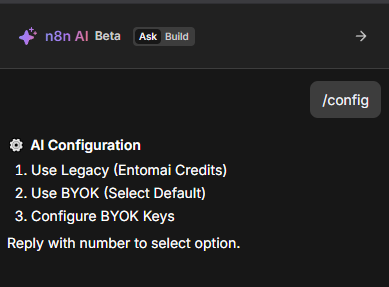
Menu options:
- Use Legacy (Entomai Credits): Uses your N8SH license credits. Providers are managed automatically.
- Use BYOK (Select Default): Switch to your own API keys and select a default provider.
- Configure BYOK Keys: Open the BYOK management menu to add or update providers.
3. Legacy Mode (Entomai Credits)
- Default: Uses your N8SH license credits.
- Providers: Managed automatically (OpenAI, Anthropic, etc.).
- Usage: AskAI is free. AI Builder actions consume plan credits.
4. BYOK Menu (Manage BYOK Keys)
When you open Configure BYOK Keys, you will see the provider list and options. If no providers are configured yet, the list is empty.
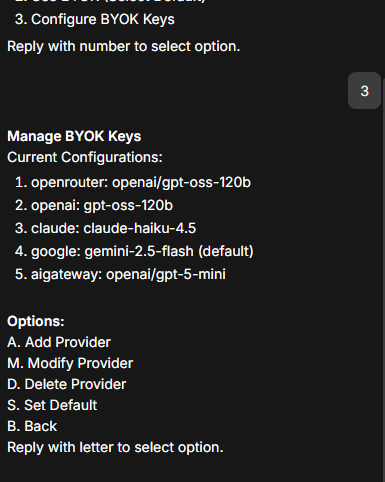

Options:
- A. Add Provider
- M. Modify Provider
- D. Delete Provider
- S. Set Default
- B. Back
5. Add a Provider
Add a provider in three steps:
- Select provider:
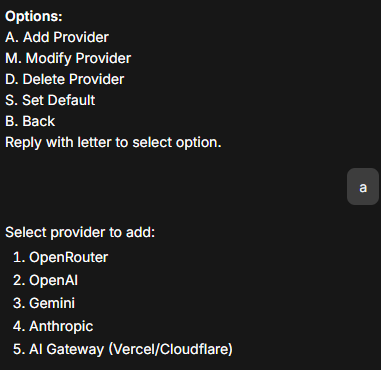
- Enter API key:
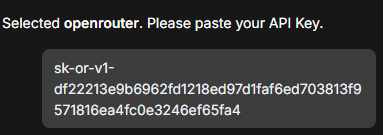
- Enter model ID:

When the setup completes, the provider appears in your list:

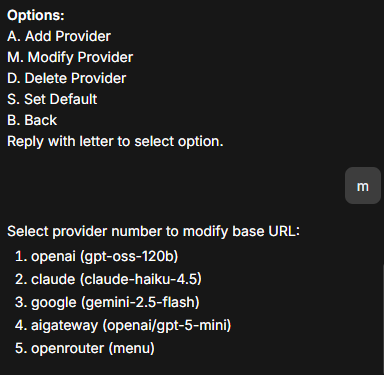
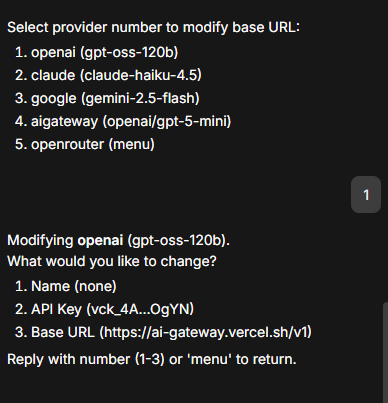
6. Modify Provider (Name, API Key, Base URL)
To change a provider name, API key, or base URL, return to the BYOK menu and choose M. Modify Provider:
Then select what you want to change:
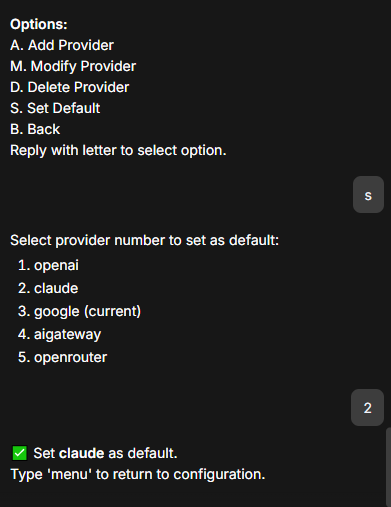
7. Set Default Provider
Use S. Set Default to pick the provider used for all AskAI requests:
8. Exit Configuration
Configuration sessions persist until you type /exit or /bye.